





Your Images. Your Brand. Your Watermark.
EDD Download Image Watermark
Add your logo or copyright watermark to Easy Digital Downloads images. Automatically watermark new uploads or apply watermarks to existing images, with control over placement, repetition, and image sizes.
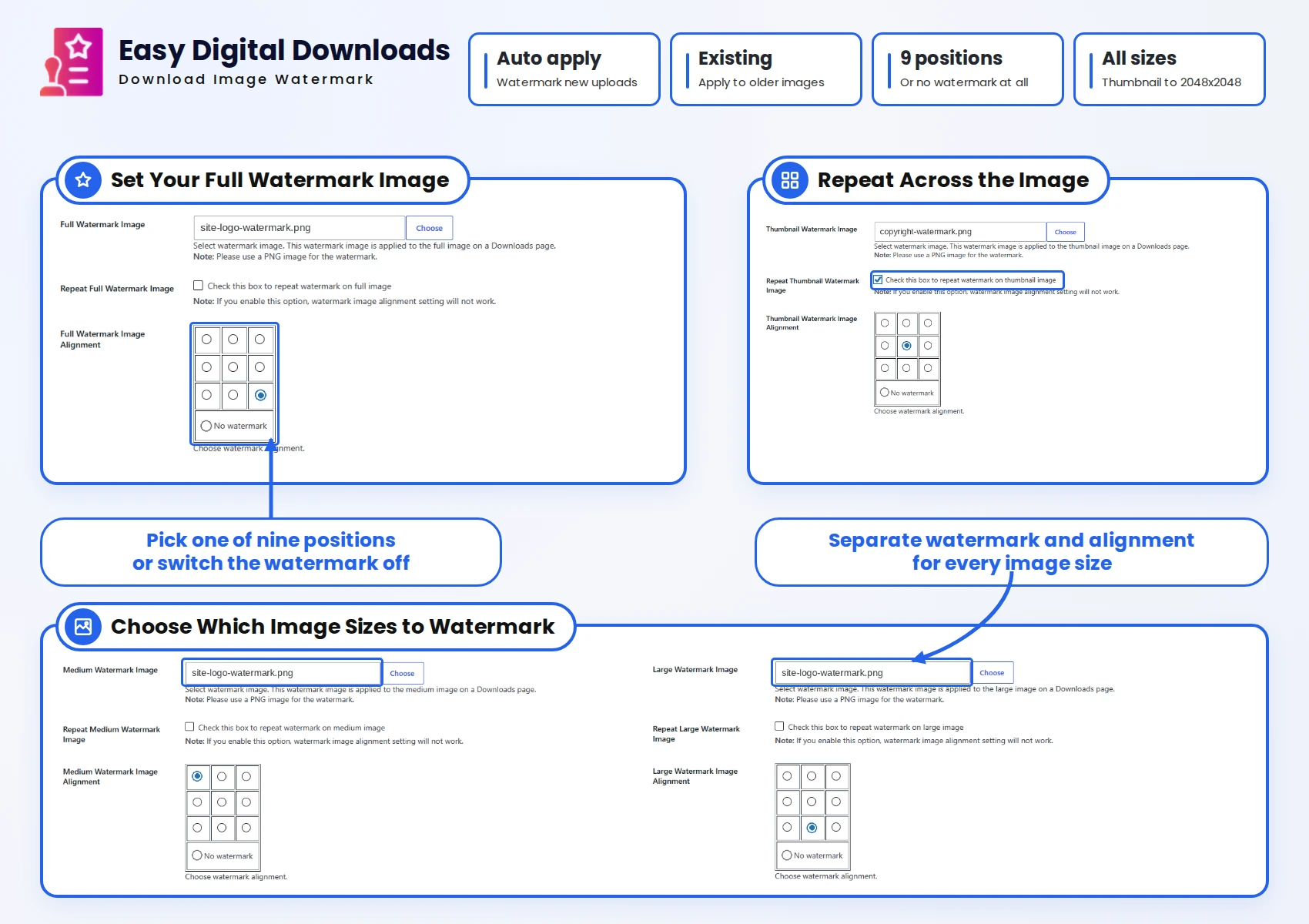


Add and Manage Watermarks for Your EDD Images:
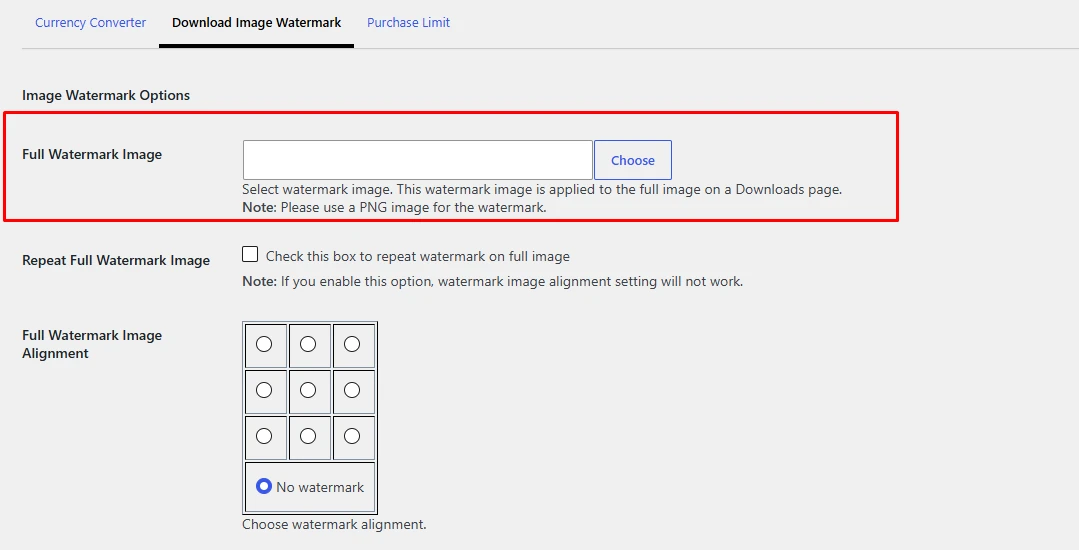
Automatically Watermark New Images
Add a watermark when you upload an image to an Easy Digital Downloads page. Save time preparing product images and keep your branding consistent across new uploads.

Add Watermarks to Existing Images
Apply your watermark to previously uploaded download images by regenerating thumbnails. Use the same process when changing your watermark to update existing images.
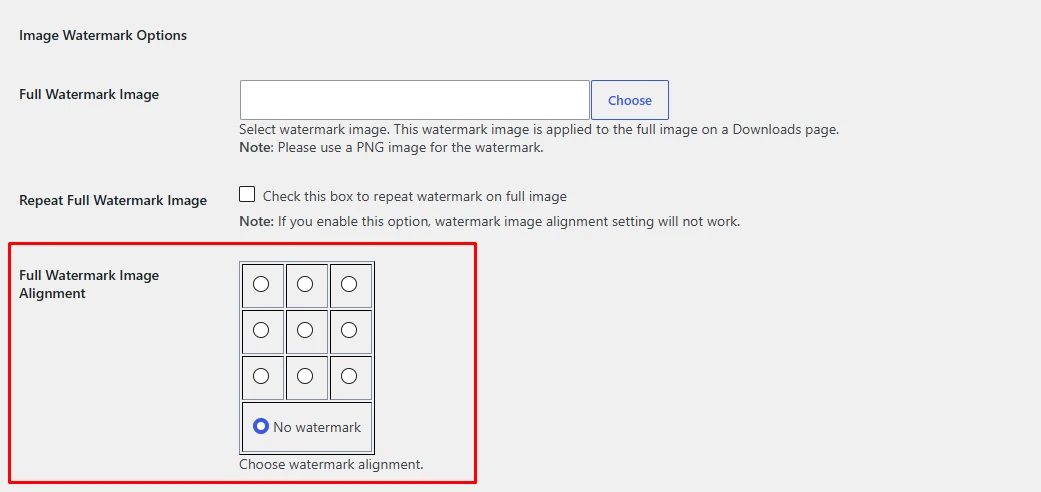
Choose From Nine Watermark Positions
Place your watermark in the centre, in a corner, or along an edge. Choose from nine positions to find a placement that suits the image without covering its main subject.
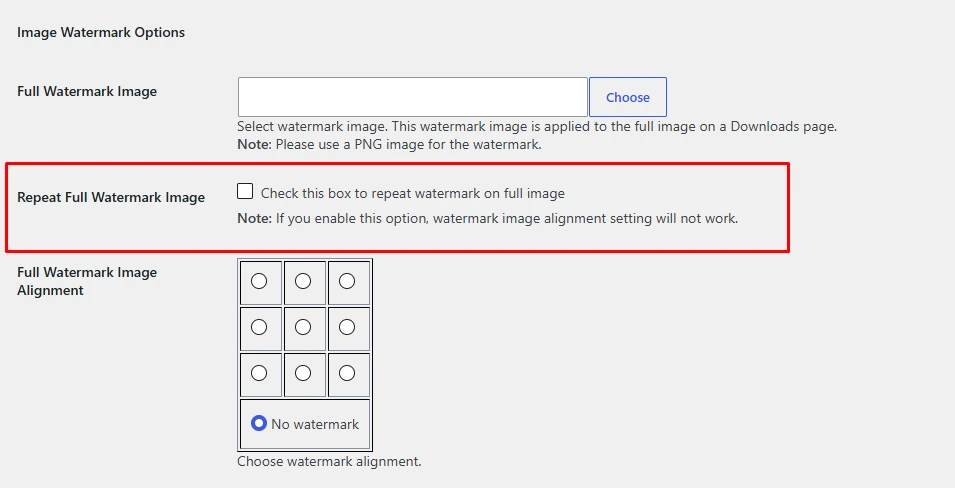
Repeat Your Watermark Across an Image
Apply the same watermark multiple times on a single image. Use repeated placement when you want your logo or copyright mark to appear across the image rather than in one location.
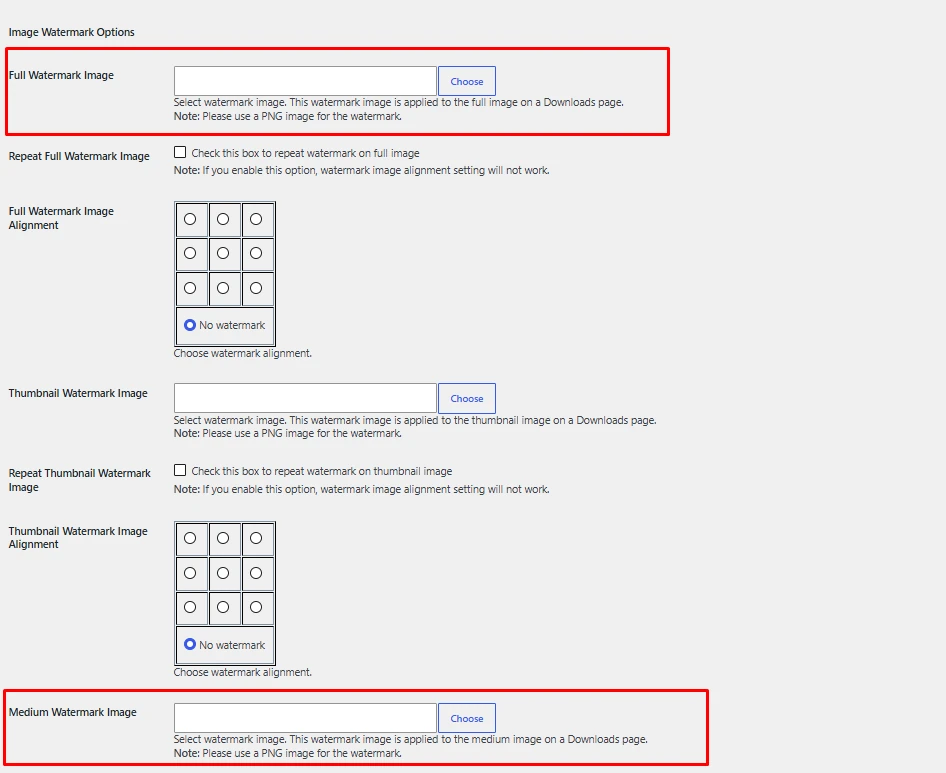
Choose Which Image Sizes to Watermark
Set watermarks for full-size images, large and medium images, post thumbnails, and thumbnails. The extension also supports custom image sizes used by your store.
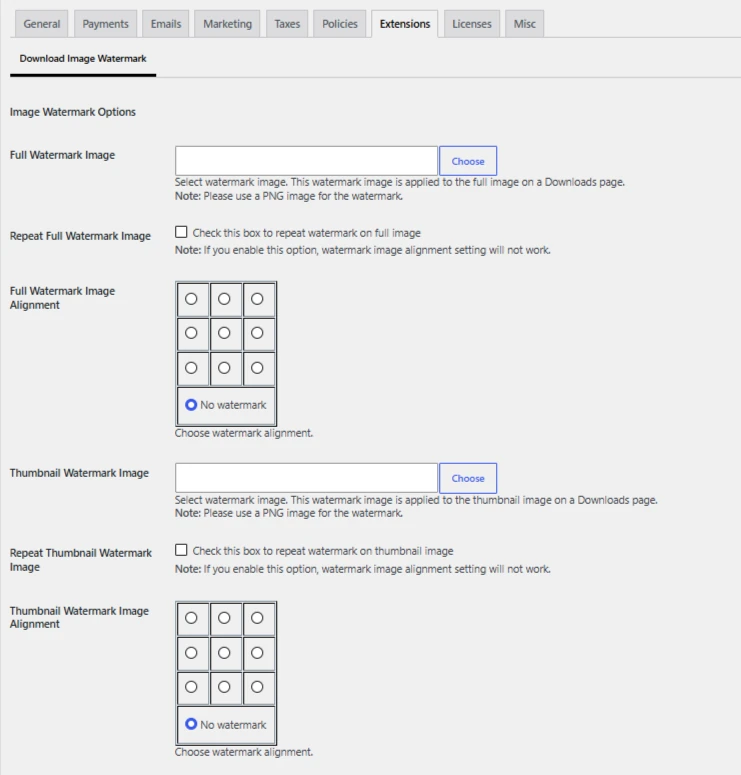
Manage Watermark Settings in WordPress
Choose your watermark position, repetition, and image sizes from the plugin’s admin settings. Manage the setup within WordPress as part of your usual store workflow.
Your Images. Your Brand. Make Your Mark.

Choose Your Image Watermark Plan
Add your branding to Easy Digital Downloads images. Every plan includes all watermark features simply choose the number of websites you need.
1 Website
Watermark images on one website, with all features, plugin updates, and support included throughout your subscription.
3 Website
Keep your branding consistent across three websites, with all features, plugin updates, and support throughout your subscription.
Unlimited Websites
Manage watermarking across unlimited websites, with all features, plugin updates, and support throughout your subscription.
Easy Digital Downloads Image Watermark Features
Add your logo or copyright mark to new and existing EDD images. Every plan includes automatic watermarking, nine placement options, and support for standard and custom image sizes.
- Automatic Watermarking for New Uploads
- Apply Watermarks to Existing Images
- Different Watermark Images for Each Size
- Nine Watermark Placement Options
- Separate Placement Settings by Image Size
- Repeated Watermarks on Full-Size Images
- Watermark Custom Image Sizes
- Leave Selected Image Sizes Unwatermarked
- Disable Watermarking for Specific Users
- Easy Digital Downloads FES Integration
- Transparent PNG Watermark Support
- Regenerate Thumbnails to Update Watermarks

14-Day money-back guarantee. No questions asked!
Applies to all eligible products or services purchased through our platform. If you are not satisfied with your purchase for any reason, you may request a refund within 14 days from the date of purchase.
Discover what our customers have to say about their experience with our plugins. Read genuine reviews and see how our solutions help businesses simplify their workflow. 5.0/5 10 Ratings
Are you a customer? Samuel Cooper A practical extension for digital stores that sell downloadable images. The watermarking functionality can help reinforce branding and add value to an existing download workflow. Alex Morgan Watermarking can be an important part of preparing image downloads for sale. This add-on provides a focused solution for stores that want to incorporate that capability into Easy Digital Downloads. Ryan Mitchell Having watermark functionality within the digital download workflow is convenient. It helps store owners manage image branding without relying entirely on a separate manual process. Ethan Parker This add-on addresses a practical need for digital product sellers who want to watermark their image downloads. It can support different branding requirements depending on the store's setup. Oliver Bennett Image watermarking is a valuable feature for stores selling digital graphics or photographs. It adds a useful layer of branding to the download workflow. James Wilson A useful solution for adding a branded touch to downloadable images. Watermarks can help digital creators maintain a consistent visual identity across their products. Michael Turner Watermarking gives digital sellers another way to customize their downloadable images. It is helpful for adding branding to image products before customers receive them. Daniel Brooks The watermarking feature is useful for protecting downloadable images. It provides a practical addition for digital stores that want to brand their image products. Neddynedson Brilliant pluginAll Ratings & Reviews
Submit your review
Great Value
Reliable Functionality
Easy to Use
Flexibility
Feature Availability
Design Quality
Customizability
Customer Support
Design Quality
See the Plugin in Action
Technical Info


Frequently Asked Questions
All features included on every plan. Pick the license that fits your store.

The extension adds watermarks to images used on Easy Digital Downloads pages. It supports both newly uploaded images and images already uploaded to your store.
Use a transparent PNG containing your company logo, a copyright symbol, or branded text.
Yes. You can apply watermarks to images that have already been uploaded, as well as new uploads.
Choose from nine positions: the centre, four corners, and the middle of each edge.
The extension supports full-size images, large and medium images, post thumbnails, thumbnails, and custom image sizes.
All license plans for our EDD Download Image Watermark plugin, including Starter, Business, and Agency, include 1 year of plugin updates and support, ensuring you have access to the latest features, improvements, and assistance when needed.